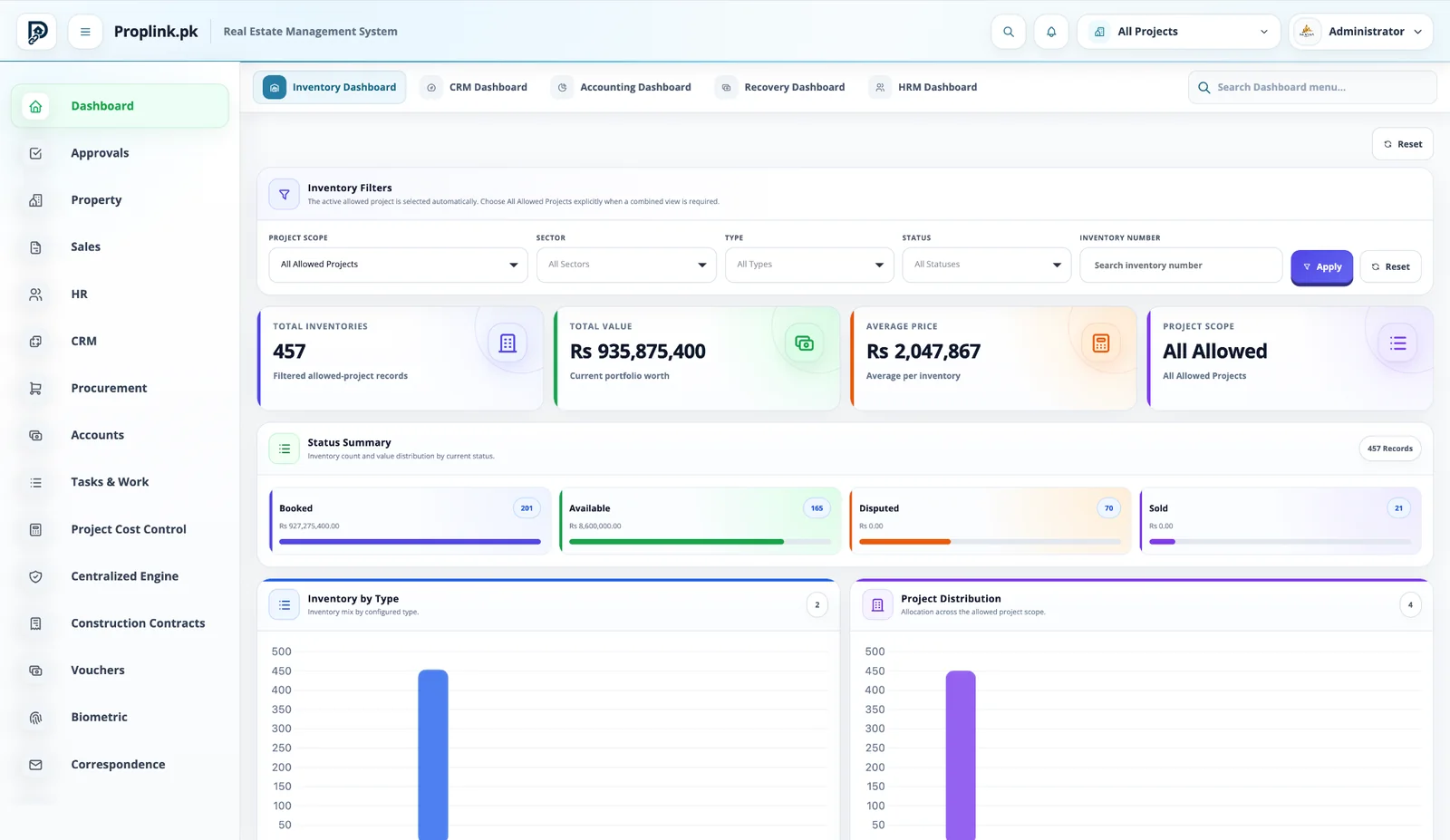
Bring us the messy workflow. We’ll show you the connected one.
Tell us where your project is losing visibility—inventory, bookings, recovery, accounts, construction, land,
after-sales or all of it. Your demo is built around that exact operating problem.
No thirty-minute tour of screens you do not need. We start from the part of the business you are
trying to control.
01
We map the project
Project type, departments, inventory structure and the current pain points.
02
We prepare the right flow
The demo opens the actual PropLink modules that match your business process.
03
You see the connection
Follow one record across sales, recovery, accounts, cost or after-sales instead of isolated features.
Not a slide deck
Ask the hard operational question. Then watch the ERP answer it.
Show us the gap between departments. We can walk from the source transaction to the customer,
property, payment, recovery or financial record using the real interface.
A few answers about demos, implementation discussions and what happens after you reach out.
We first understand your project type, operating structure and the departments you want to
connect. The walkthrough can then focus on the workflows that matter instead of using a generic
presentation.
Yes. A demo can be centered on housing society operations, high-rise, CRM and sales,
recovery, accounting, land, project costing, construction, procurement, after-sales or a connected
combination.
Yes. A combined session can show management the overall project position while also walking
departmental users through the screens relevant to their work.
Yes. Existing data and migration requirements can be reviewed as part of the implementation
discussion, subject to the agreed migration scope and the quality and structure of the source data.
Call or WhatsApp PropLink on 0311 6646453. You can also email [email protected] or submit
the demo brief on this page.
Yes. PropLink has dedicated workflows for housing societies and schemes as well as
high-rise towers, while keeping sales, recovery, finance and management controls connected.
 PropLinkREAL ESTATE ERP