Real Estate Accounting ERP

Finance, vouchers, banking and reporting built for real estate operations.

Bring accounting dashboards, ledgers, journals, bank accounts, customer receipts, supplier payments, adjustments, project reporting and operational context into one real estate finance workspace.

Chart of Accounts & LedgersVouchers & ReceiptsBanking
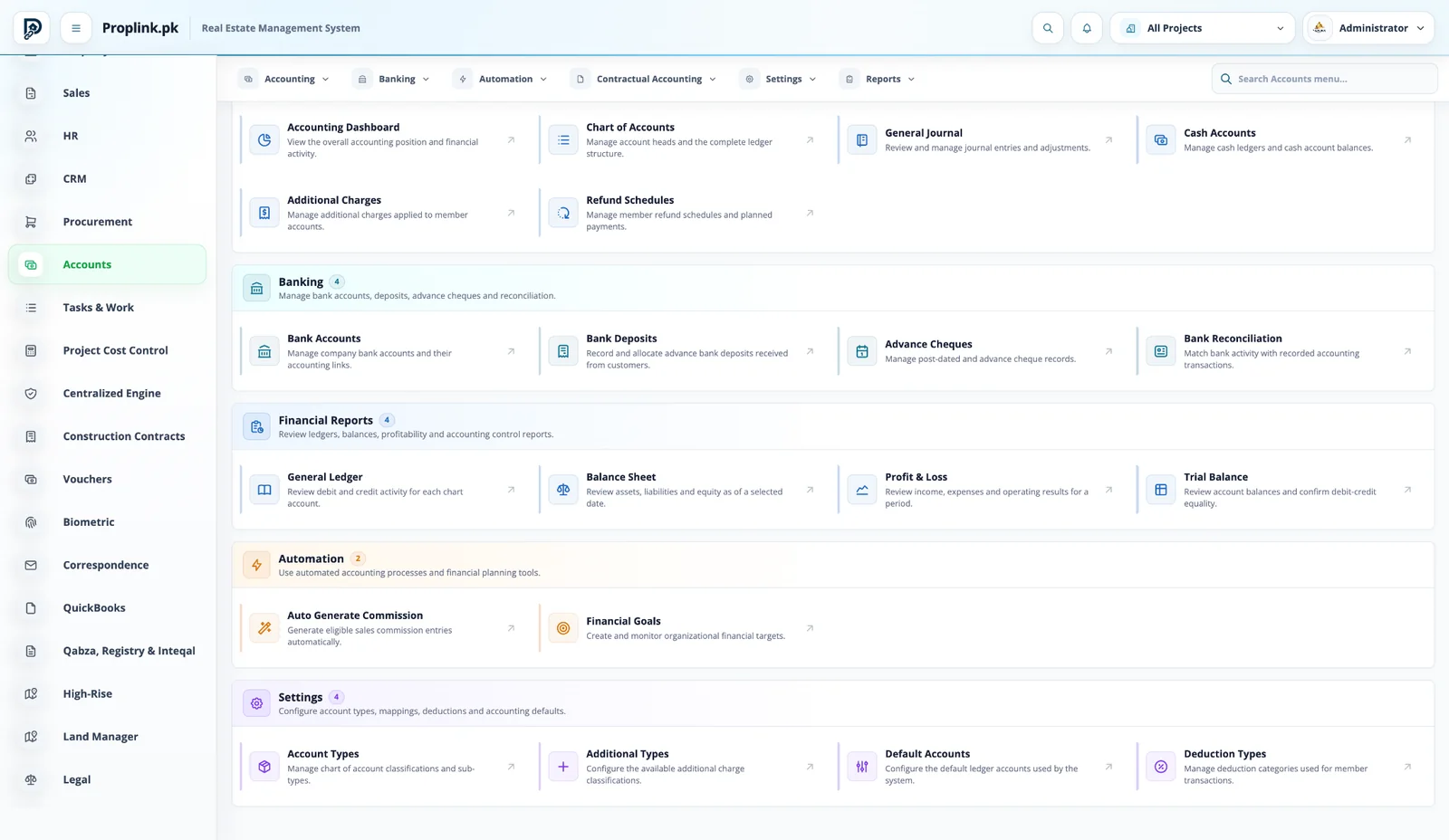
Accounts Workspace
PropLink Accounts Workspace interface
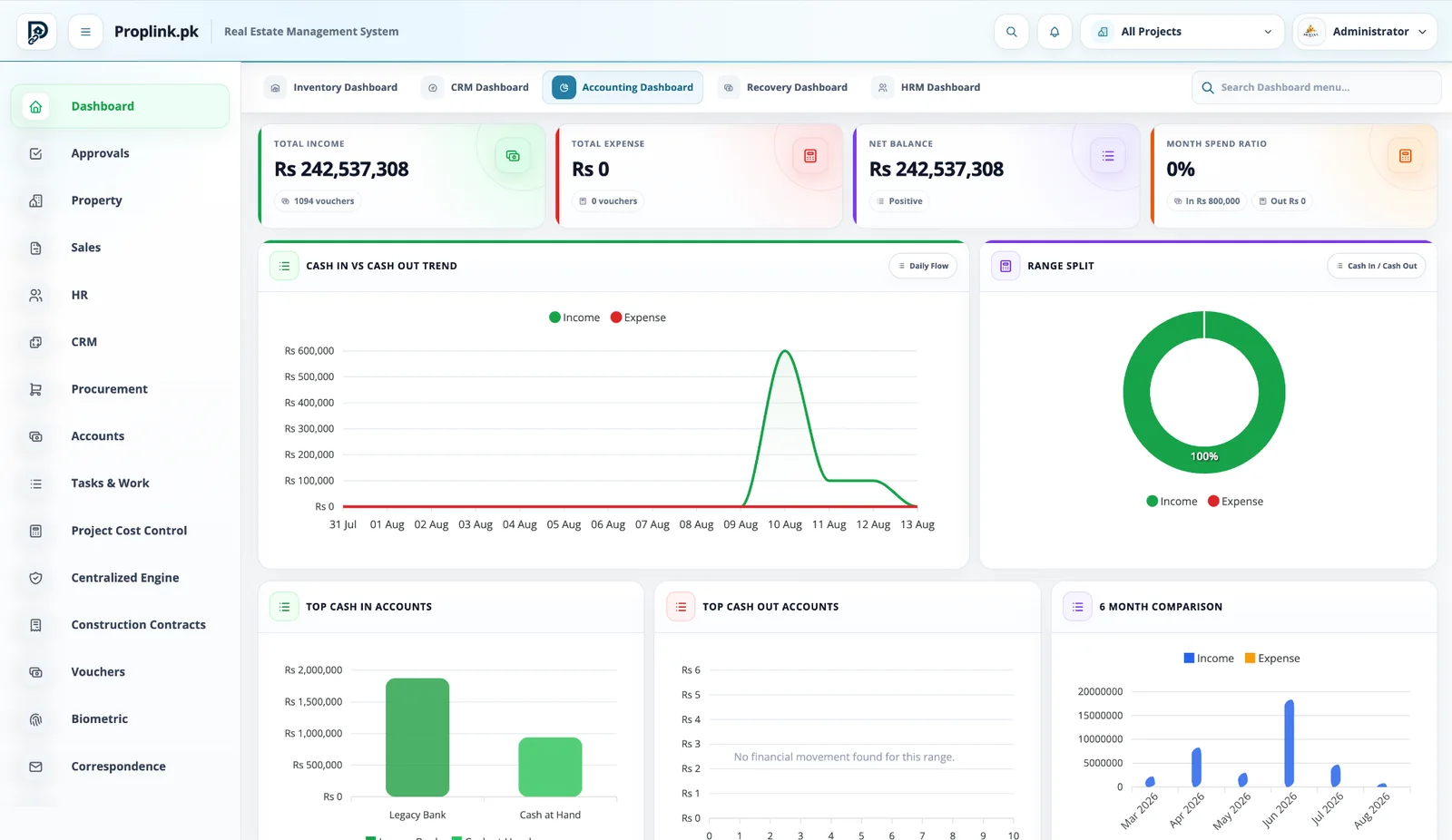
Accounting Dashboard
PropLink Accounting Dashboard interface
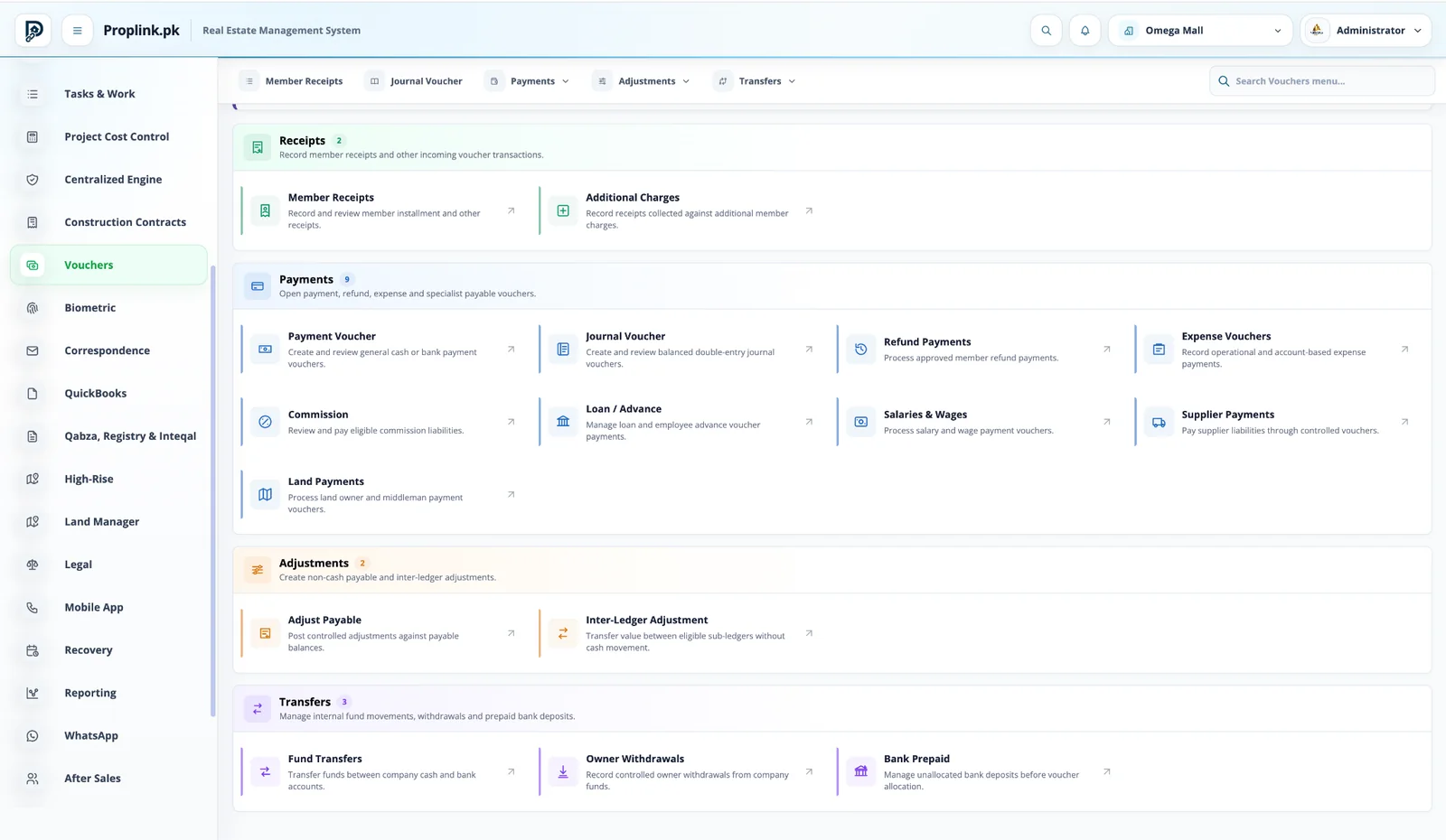
Vouchers Workspace
PropLink Vouchers Workspace interface
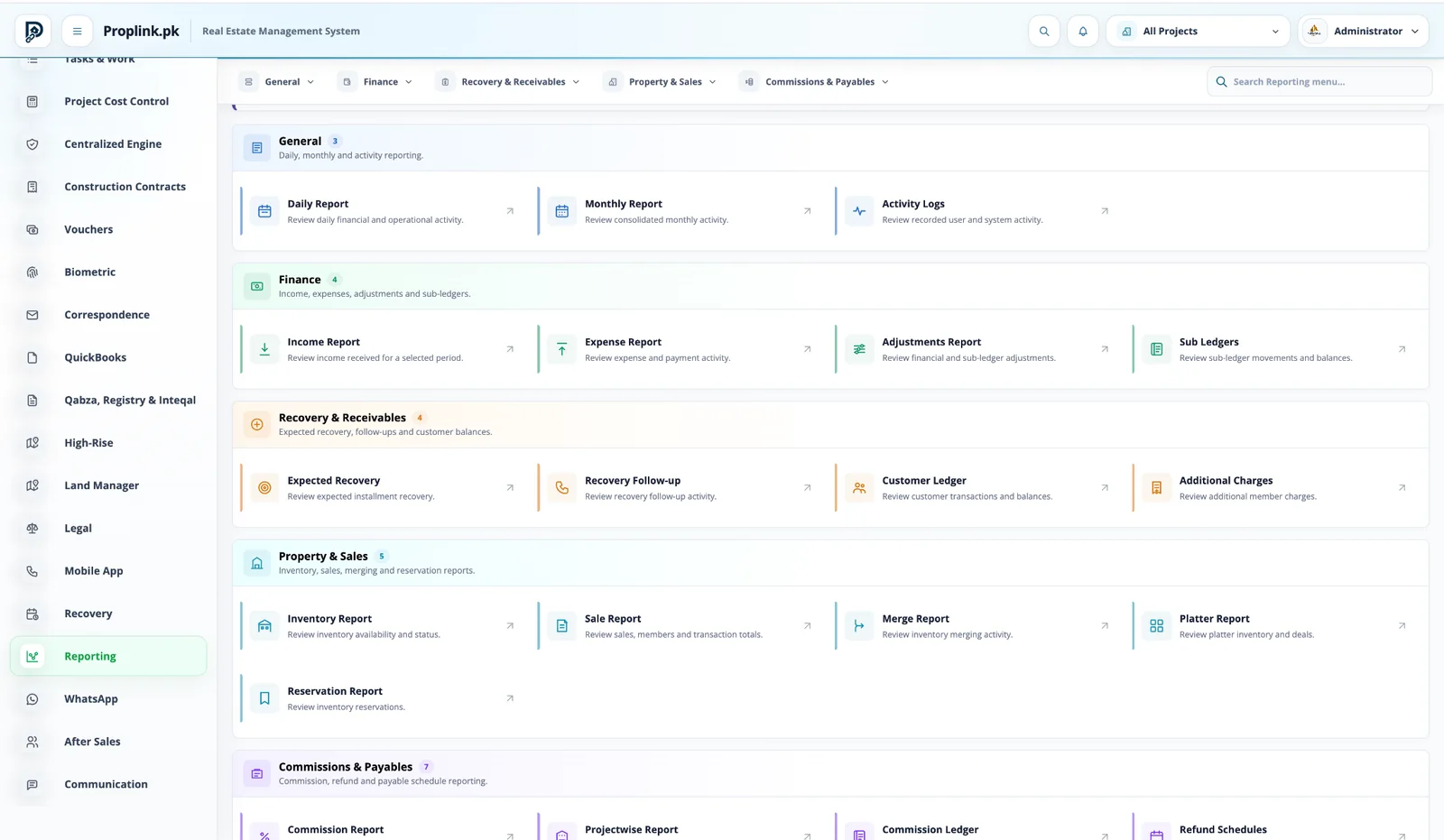
Reporting Workspace
PropLink Reporting Workspace interface
Connected workflow

One record moves through the business — the context stays attached.

No hand-off spreadsheets. No dead-end module screens. Each stage continues from the data created before it.

01

Operational Event

A sale, receipt, purchase or contract creates business context.

02

Financial Impact

The relevant receivable, payable, bank or ledger effect is recorded.

03

Ledger

Entries remain connected to their source relationship.

04

Reconcile

Cash, bank and sub-ledger positions can be reviewed.

05

Report

Management and finance reports use the same project data.

06

Audit

Permissions, logs and transaction references support traceability.

Core capabilities

Built for the actual work your teams perform.

Each capability stays connected to the same project, inventory and customer records.

Chart of Accounts & Ledgers

Maintain account heads and trace financial movement back to project activity.

Vouchers & Receipts

Process member receipts, payments, refunds, salaries, supplier, land and other vouchers.

Banking

Manage bank accounts, deposits, advance cheques and reconciliation-related workflows.

Financial Reports

Use general ledger, trial balance, balance sheet, profit and loss and other reports.

Project-linked context

Keep customer, supplier, land and project references attached to financial activity.

QuickBooks Integration

Map accounts and synchronize supported records through controlled queues and logs.

Inside PropLink

Stop imagining the workflow. Operate it.

Switch between the exact PropLink workspaces used by the teams in this solution. Every view stays in its natural aspect ratio and opens full-size.

Book a live walkthrough
PROPLINK · LIVE PRODUCTCONNECTED
PropLink Accounts Workspace
WORKSPACE 01Accounts Workspace

Chart of accounts, journals, cash and bank controls, financial reports, automation and settings in one finance workspace.

REAL DATA FLOW
PROJECT SCOPED
Customer receivablesSales, receipts and member ledgers remain connected.
Supplier & contractor liabilitiesPayables can retain the operational source behind the financial entry.
Bank visibilityCash and bank activity is managed inside the finance workspace.
Financial statementsAccounting reports sit alongside project and operational reporting.

See how this workflow fits your project.

Get a live, project-focused walkthrough with the PropLink team.

FAQ

Frequently asked questions

Answers to common questions about this PropLink workflow.

Yes. The accounting workspace includes chart-of-account and ledger structures used by the financial modules.
PropLink includes journal-based accounting and financial controls designed to keep operational transactions connected to financial entries.
Yes. Cash accounts, bank accounts, deposits, advance cheques, transfers and reconciliation-related workflows are part of the finance environment.
The reporting environment includes financial statements and operational reports such as general ledger, trial balance, balance sheet, profit and loss, income, expense and sub-ledger reporting where configured.
Yes. Voucher workflows include member receipts, payment vouchers, supplier payments, salaries and wages, land payments, refunds, commission-related payments and other configured transaction types.
Yes. Controlled adjustment workflows can move value between eligible sub-ledgers without treating every adjustment as a cash movement.
Project-scoped financial information can be reported according to the user’s allowed project access and the report’s supported filters.
PropLink includes QuickBooks integration capability with account mapping, sync queues, logs and retry controls for supported transaction flows.
Yes. PropLink uses permission-aware workspaces so access to modules and actions can be limited according to a user’s responsibilities.
Yes. Project scope and module permissions work together so users can be limited both by what they can do and which projects they can work on.