Real Estate Recovery ERP

Turn outstanding installments into an organized recovery operation.

Know who owes what, what has been recovered, which follow-ups are pending and which accounts need action — all from payment-plan schedules connected to the original sale.

Dues intelligenceAssignments & groupsWatchlists
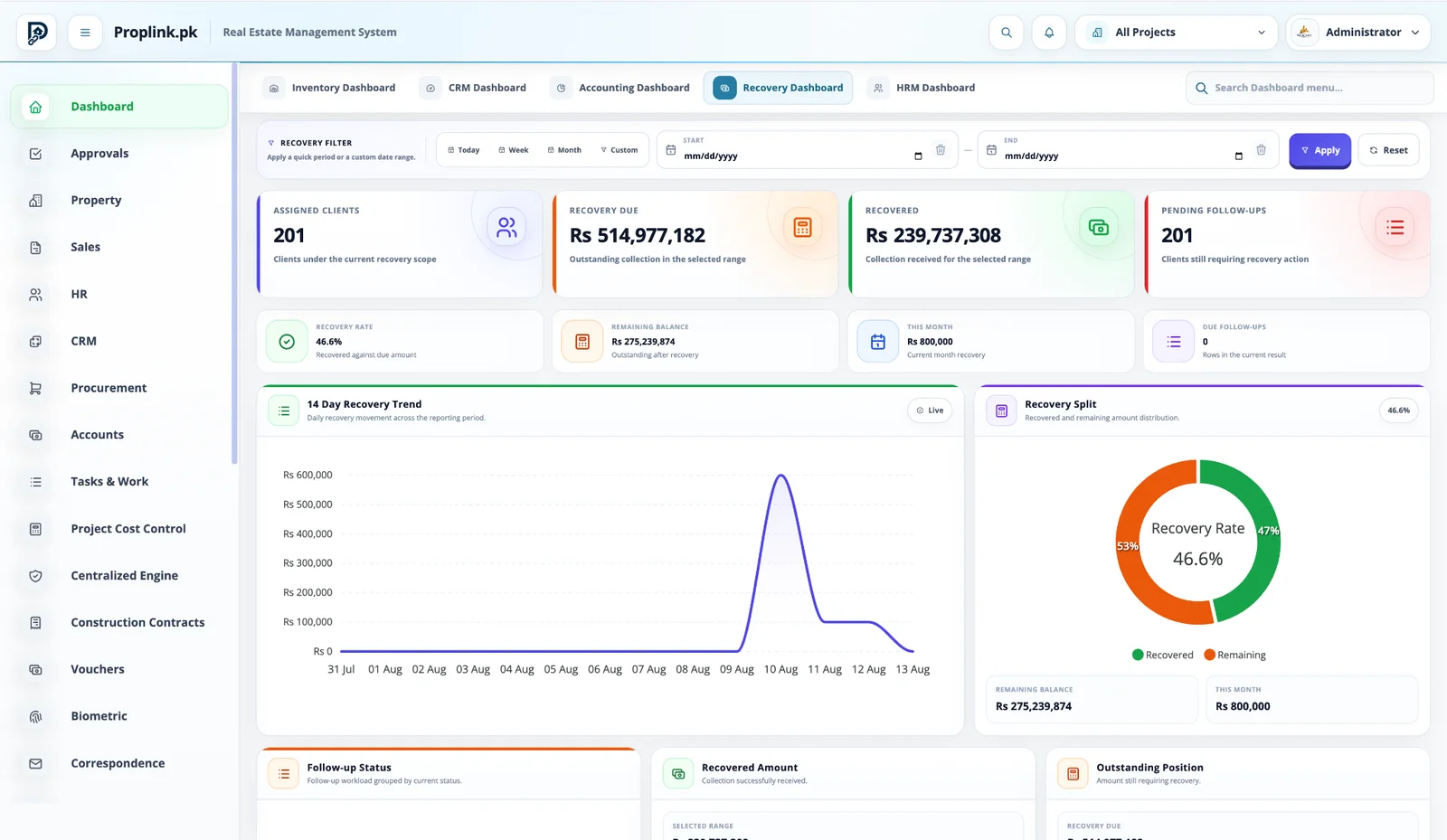
Recovery Dashboard
PropLink Recovery Dashboard interface
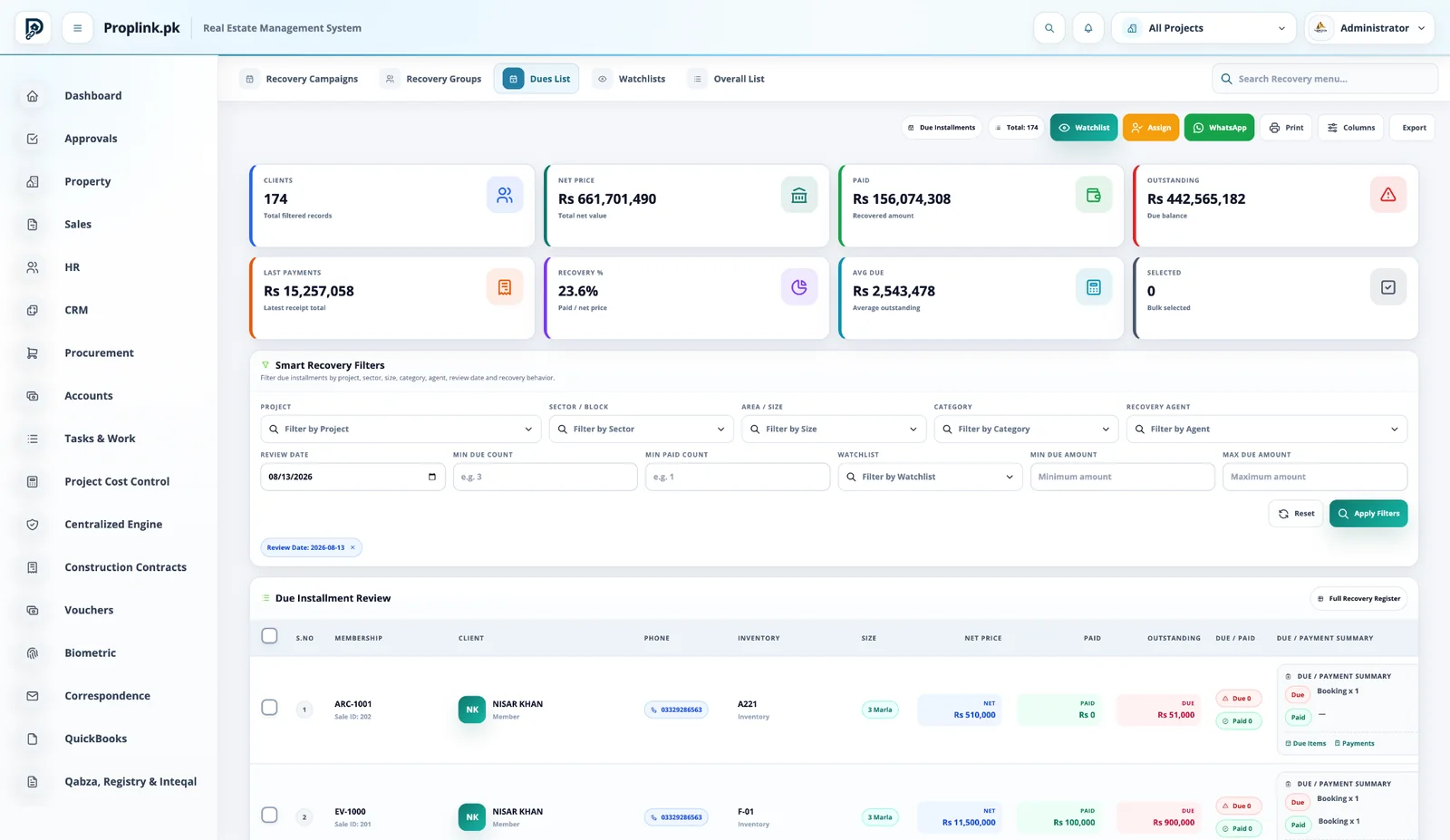
Due Installments
PropLink Due Installments interface
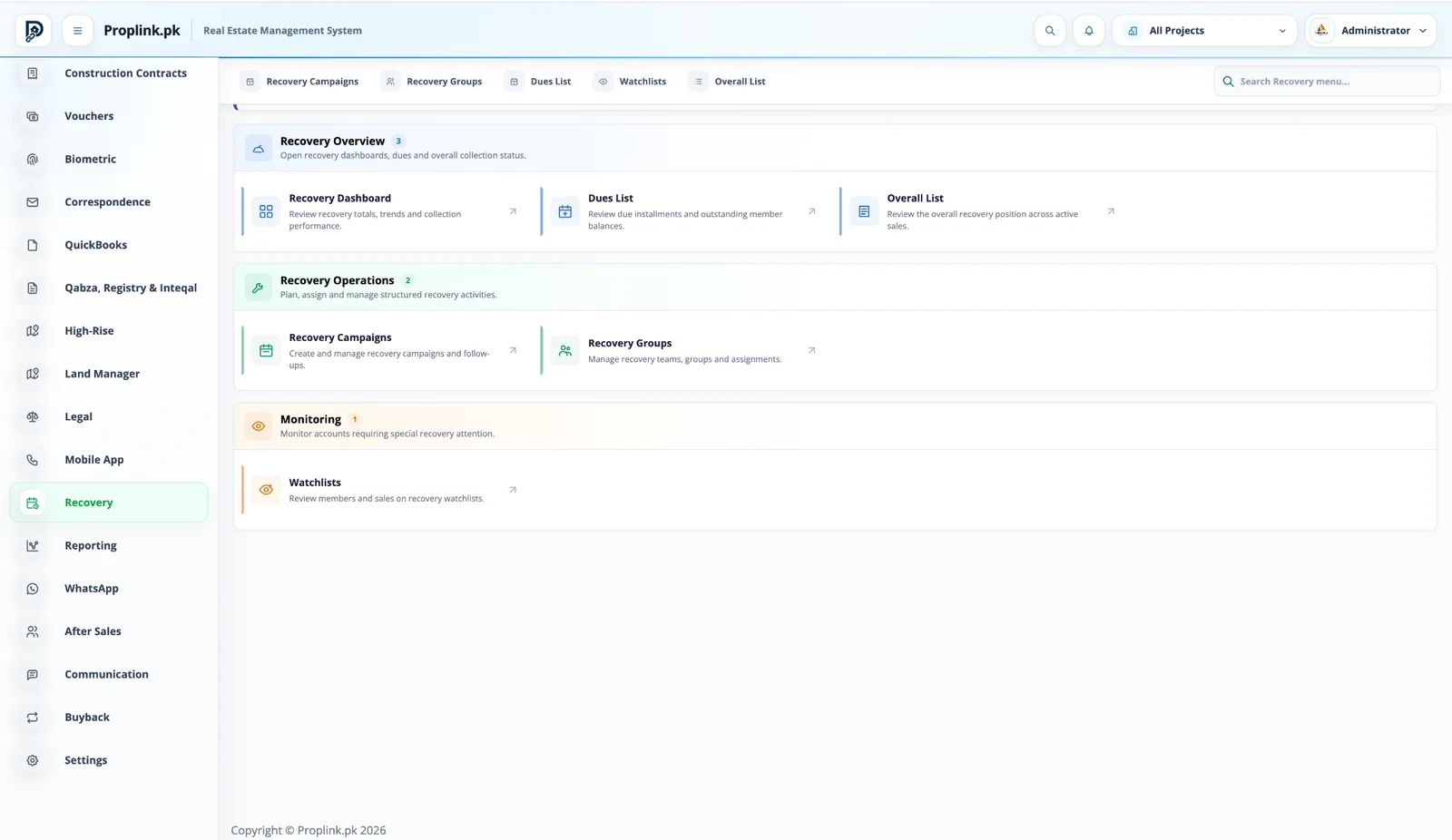
Recovery Workspace
PropLink Recovery Workspace interface
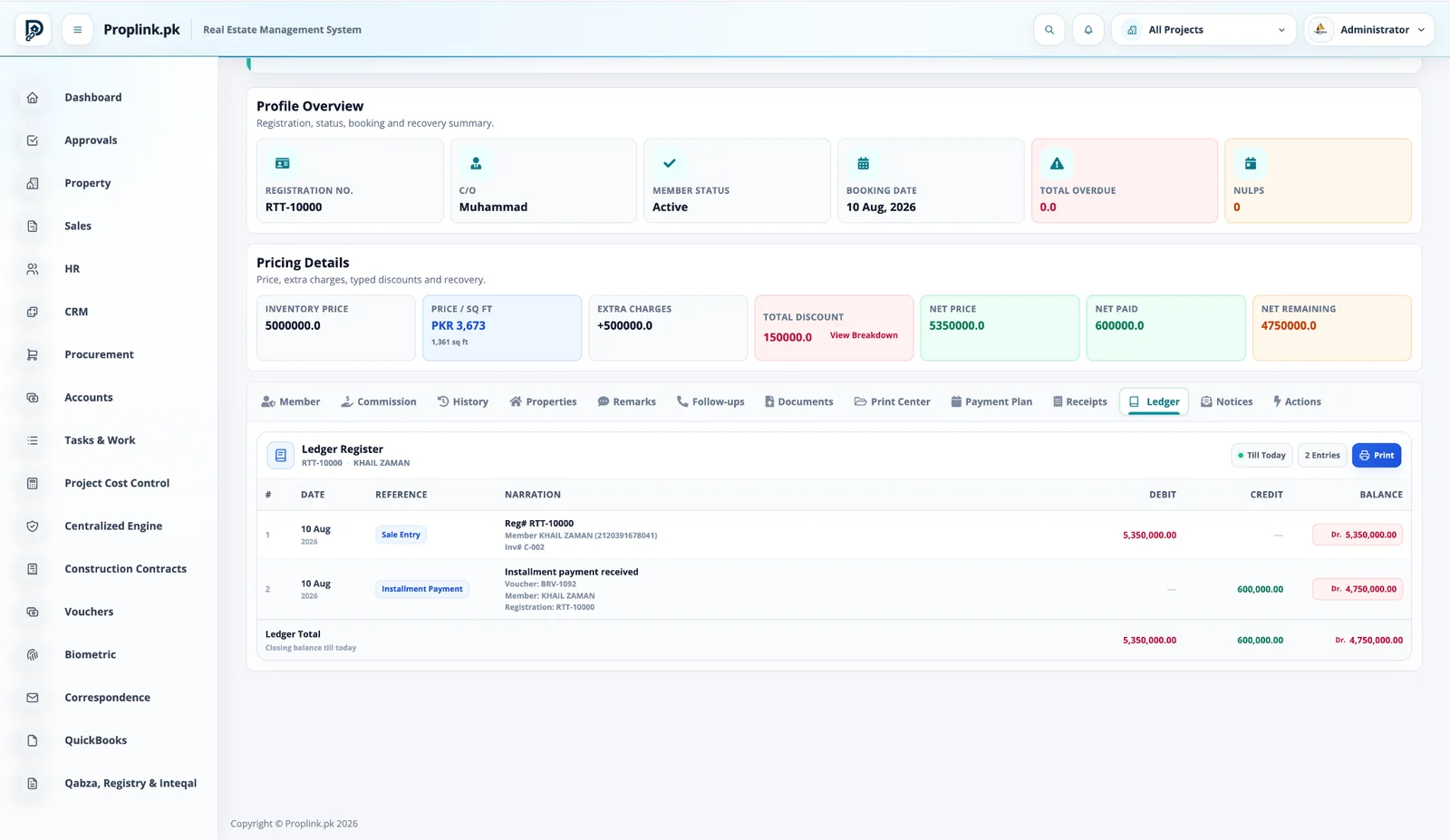
Member Ledger
PropLink Member Ledger interface
Connected workflow

One record moves through the business — the context stays attached.

No hand-off spreadsheets. No dead-end module screens. Each stage continues from the data created before it.

01

Payment Plan

Scheduled dues establish the expected recovery.

02

Dues List

Identify outstanding and due customer positions.

03

Assign

Route accounts to recovery groups or users.

04

Follow-up

Track contact and customer commitments.

05

Collect

Record receipts against the member sale.

06

Measure

Review recovery rate, remaining balance and team workload.

Core capabilities

Built for the actual work your teams perform.

Each capability stays connected to the same project, inventory and customer records.

Dues intelligence

Review outstanding balance, payment behavior and due position with filters that match real recovery work.

Assignments & groups

Organize recovery teams, groups, campaigns and assigned clients.

Watchlists

Put important or risky accounts on watchlists for focused recovery attention.

Follow-ups

Maintain follow-up activity and customer commitments instead of separate call sheets.

Receipts & ledger

Collections feed the same sale and member financial history used by Accounts.

Communication actions

Use connected communication workflows where messaging accounts are configured.

Inside PropLink

Stop imagining the workflow. Operate it.

Switch between the exact PropLink workspaces used by the teams in this solution. Every view stays in its natural aspect ratio and opens full-size.

Book a live walkthrough
PROPLINK · LIVE PRODUCTCONNECTED
PropLink Recovery Dashboard
WORKSPACE 01Recovery Dashboard

See assigned clients, recovery due, recovered amount, remaining balance, follow-ups and collection rate at a glance.

REAL DATA FLOW
PROJECT SCOPED
Due positionReview net price, paid, outstanding and recovery percentage together.
Smart filtersWork by project, sector, size, category, agent, amount and review date.
Bulk actionsApply watchlist, assignment, communication and export actions to selected records.
Same financial truthRecovery and Accounts use the same member payment history.

See how this workflow fits your project.

Get a live, project-focused walkthrough with the PropLink team.

FAQ

Frequently asked questions

Answers to common questions about this PropLink workflow.

Payment-plan schedules and receipts provide the basis for expected, paid and outstanding amounts, which recovery users can review by project, inventory, member and other filters.
Yes. Recovery groups, assignments and campaigns can organize work so users know which accounts require their action.
Yes. The dues list summarizes customer position and supports smart filters, watchlists, assignment and communication actions.
Recovery workflows can record follow-up activity and customer commitments so the collection process remains traceable.
Where communication accounts and integrations are configured, WhatsApp can support recovery communication and customer reminders from connected workflows.
Yes. Receipts remain linked to the sale and payment plan, allowing the paid and remaining position to be updated from recorded transactions.
Yes. Structured installment schedules can include due dates, scheduled values, paid amounts, discounts, remaining amounts and receipt references.
Yes. Member ledger views can show sale-related debits, received payments or other linked entries and the resulting balance.
The Communication module is designed for WhatsApp, email and SMS workflows through configured provider accounts and common messaging controls.
Yes. Communication accounts can distinguish company-controlled accounts from user-scoped accounts, helping automated and manual messaging stay controlled.