
Sales & Customer · ERP Module
Recovery Management ERP Module
Turn overdue installments into assigned recovery work with dues lists, dashboards, watchlists and follow-up visibility.
Recovery dashboardDue installmentsRecovery groups
Operational depth
This is not a feature page. It is a working part of the ERP.
Turn overdue installments into assigned recovery work with dues lists, dashboards, watchlists and follow-up visibility.
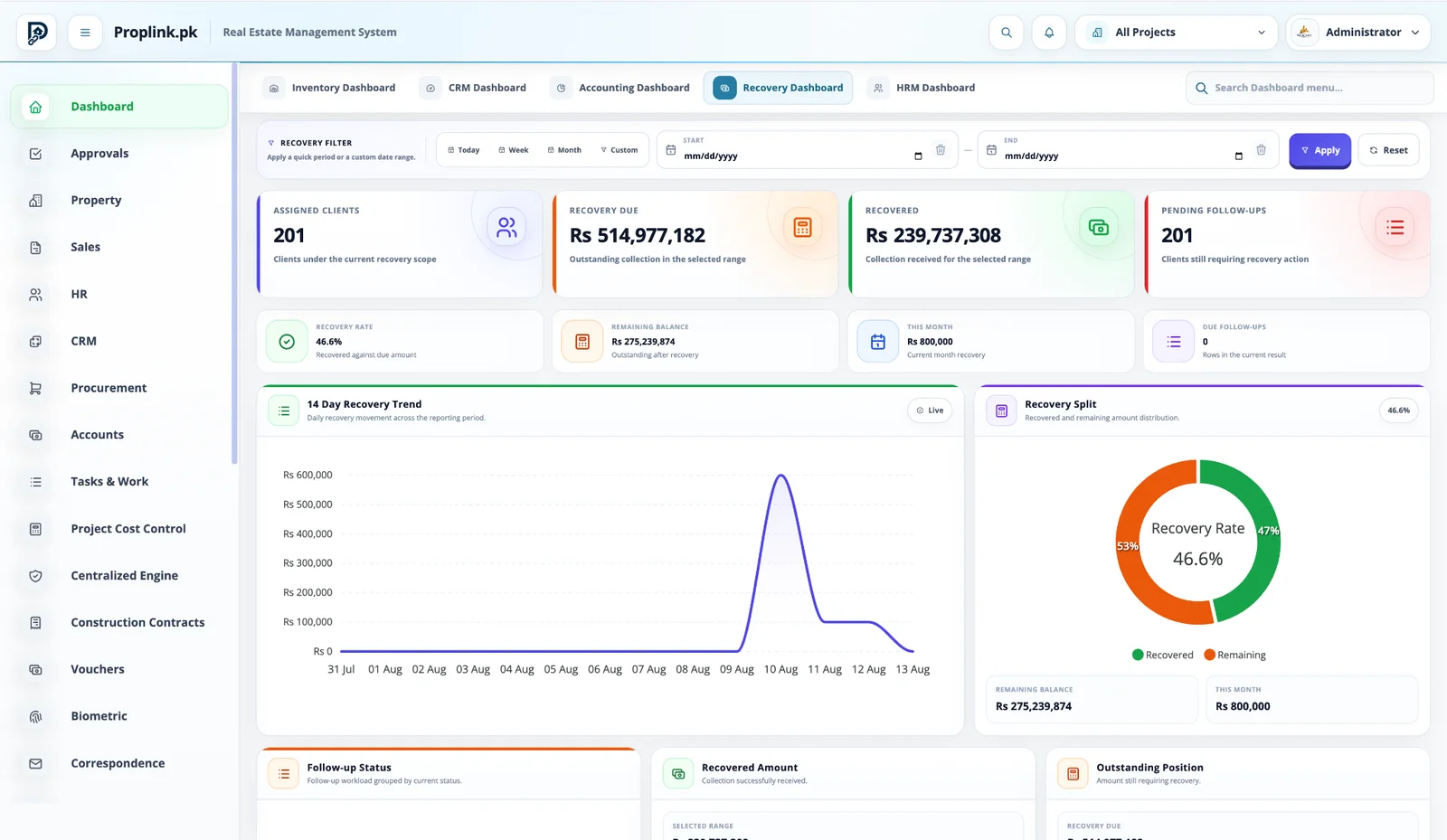
01Recovery dashboard
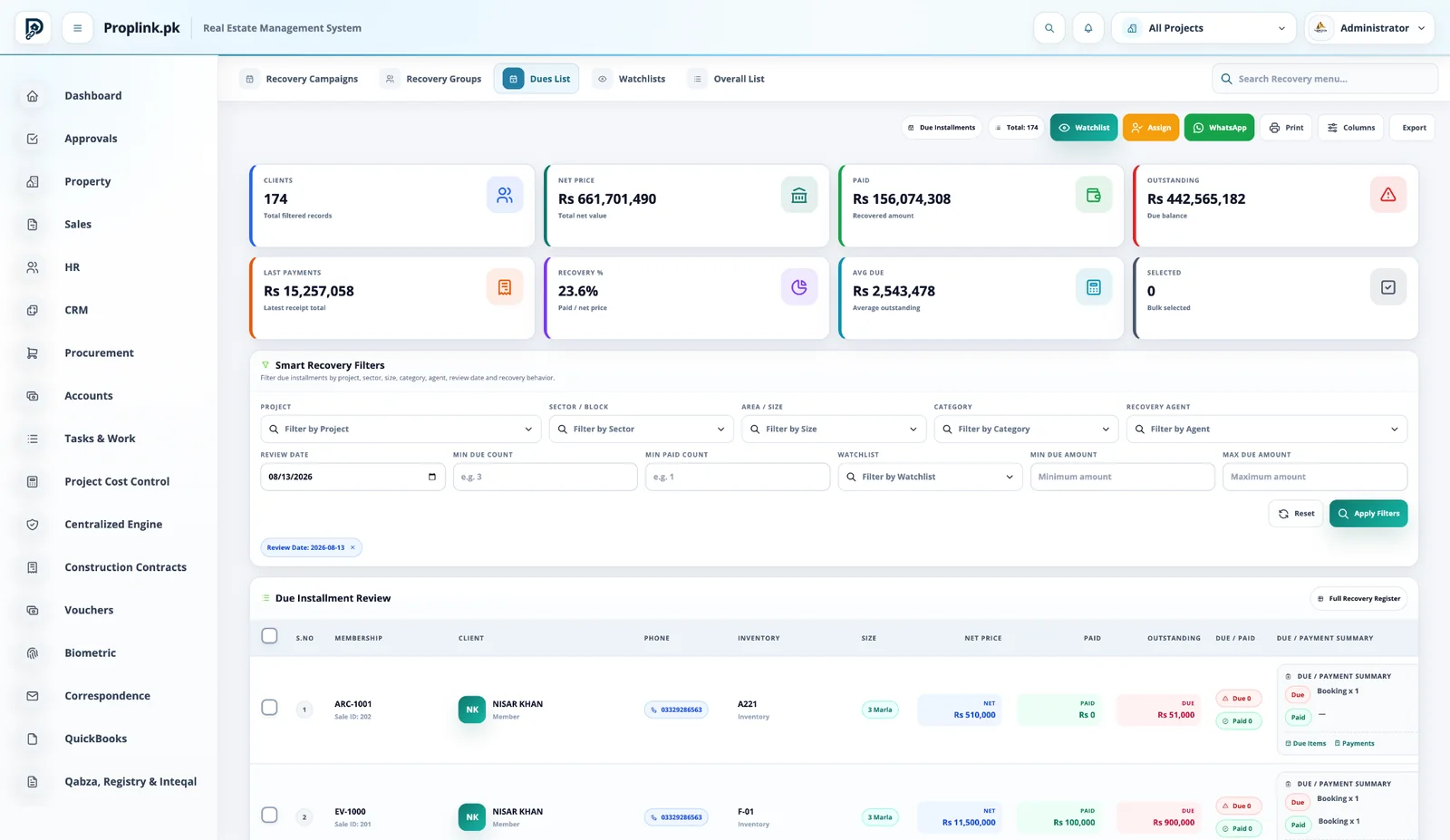
02Due installments
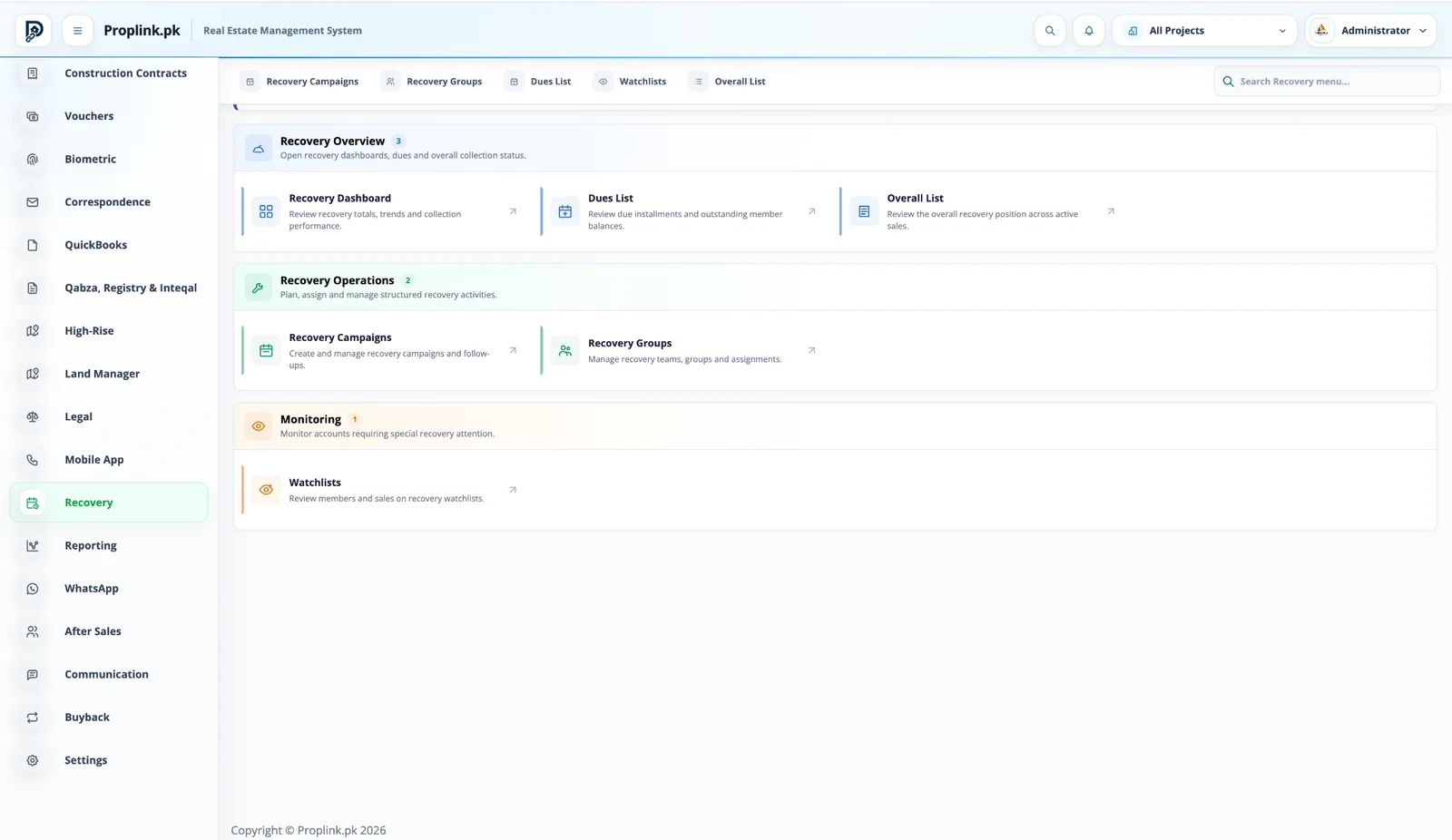
03Recovery groups
04Watchlists
Walk through this workflow Live product · project-focused demo
ONE PROJECT RECORD
LIVE OPERATIONAL CONTEXT
Connected views
Move through the surrounding workflow — without losing context.
The module does not sit alone. Open the connected PropLink views that feed it, receive from it, or continue the same customer, property or financial record.
Book a live walkthroughPROPLINK · LIVE PRODUCTCONNECTED
WORKSPACE 01Recovery Management ERP Module
See assigned clients, recovery due, recovered amount, remaining balance, follow-ups and collection rate at a glance.
REAL DATA FLOW
PROJECT SCOPED
Want to see Recovery Management ERP Module on your workflow?
Tell us your project type and the departments you want to connect.
FAQ
Frequently asked questions
Answers to common questions about this PropLink workflow.
Payment-plan schedules and receipts provide the basis for expected, paid and outstanding amounts, which recovery users can review by project, inventory, member and other filters.
Yes. Recovery groups, assignments and campaigns can organize work so users know which accounts require their action.
Yes. The dues list summarizes customer position and supports smart filters, watchlists, assignment and communication actions.
Recovery workflows can record follow-up activity and customer commitments so the collection process remains traceable.
Where communication accounts and integrations are configured, WhatsApp can support recovery communication and customer reminders from connected workflows.